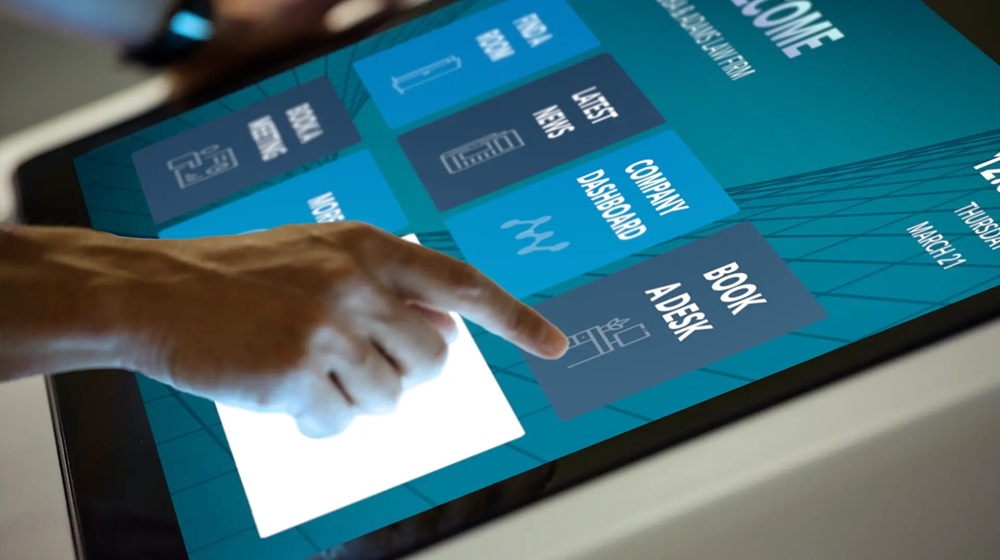
The education sector is rapidly transforming as digital tools become essential in modern classrooms. Education technology solutions powered by Elo Touchscreen Computers are helping schools, universities, and training centers create interactive, engaging, and efficient learning environments. From smart classrooms to virtual learning spaces, Elo devices are at the heart of today’s digital education experience.
What Are Education Technology Solutions?
Education technology solutions (EdTech) are digital tools, software, and hardware that enhance teaching, learning, and school management. These include learning management systems (LMS), virtual classrooms, digital assessment tools, and interactive hardware such as Elo Touchscreen Computers that allow teachers and students to interact directly with content.
By combining intelligent software with reliable touchscreen hardware, institutions can deliver dynamic, student-centered learning.
Why Choose Elo Touchscreen Computers for Education?
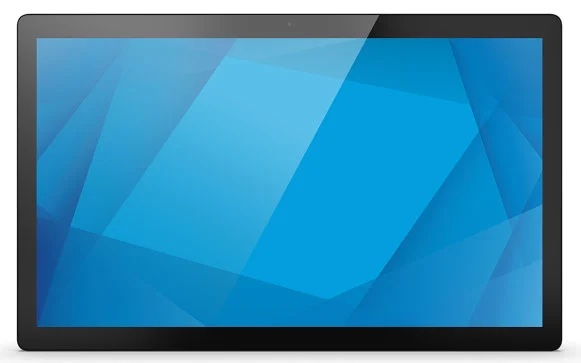
Elo Touchscreen Computers are designed for commercial and educational environments, offering durability, performance, and flexibility. They are widely used in classrooms, libraries, labs, and training rooms.
Key Benefits of Elo Touchscreen Computers
- Interactive Learning – Touch-based navigation encourages student participation.
- All-in-One Design – Built-in computer and display for easy setup.
- Multi-Touch Capability – Supports group activities and collaborative learning.
- Flexible Operating Systems – Available with Windows or Android.
- Commercial-Grade Durability – Built for daily classroom use.
- Easy Integration – Works seamlessly with LMS, digital whiteboards, and learning apps.
How Elo Touchscreen Computers Enhance Education
1. Smart Classrooms
Teachers can display lessons, annotate in real time, play educational videos, and run interactive quizzes directly on Elo touchscreen computers.
2. Blended and Remote Learning
Elo devices support video conferencing, cloud platforms, and LMS tools for hybrid learning environments.
3. Student Self-Service Stations
Libraries, registrars, and learning centers use Elo touch computers for self-check-in, information kiosks, and digital wayfinding.
4. Collaborative Learning Spaces
Large-format Elo touchscreens allow students to work together on projects, brainstorm, and solve problems interactively.
Popular Education Technology Solutions That Work with Elo
- Learning Management Systems (LMS): Moodle, Canvas, Blackboard
- Virtual Classroom Platforms: Google Classroom, Microsoft Teams, Zoom
- Assessment Tools: Kahoot!, Quizlet, Mentimeter
- Digital Content Platforms: Nearpod, Coursera, Edmodo
Why Schools Are Investing in Elo-Based EdTech
- Increased student engagement
- Better learning outcomes
- Reduced paper and administrative workload
- Modern, future-ready classrooms
- Improved collaboration and accessibility
Choosing the Right Education Technology Solution
When selecting EdTech tools, ensure they are:
- Compatible with Elo Touchscreen Computers
- Secure and compliant with data privacy standards
- Easy for teachers and students to use
- Scalable for future growth
Conclusion
Education technology solutions with Elo Touchscreen Computers provide a powerful foundation for modern learning. By combining interactive hardware with smart digital platforms, schools can deliver engaging, flexible, and effective education for today’s students.
Transform your classroom with Elo Touchscreen Computers and unlock the future of learning.