
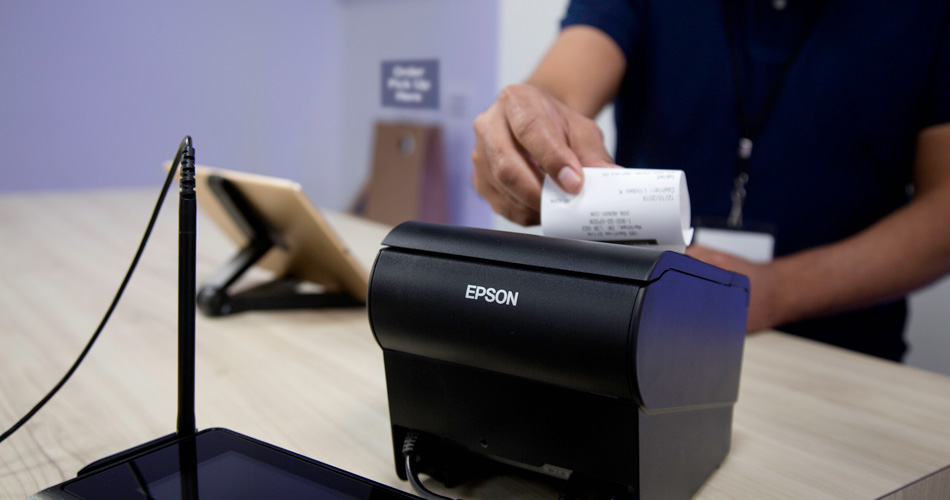
A receipt printer is an essential part of many modern point-of-sale (POS) systems. From retail shops and supermarkets to cafés, restaurants and hospitality businesses, a reliable printer helps businesses quickly provide customers with printed receipts, order tickets and transaction information.
With many different types, connection options and printer brands available, choosing the right POS receipt printer can be challenging. This guide explains how receipt printers work, the different types available and what to consider when choosing one for your business.
What Is a Receipt Printer?
A receipt printer is a compact printer designed specifically for printing sales receipts and other transaction-related documents at the point of sale.
Unlike a standard office printer, a POS receipt printer is built for frequent, fast printing. Most modern models use thermal printing technology, which produces text and graphics by applying heat to specially coated thermal paper.
Thermal printing is particularly popular in retail and hospitality because it doesn’t require ink or toner. This can help simplify maintenance and reduce consumable requirements.
What Is a Thermal Receipt Printer?
A thermal receipt printer uses heat to create an image on thermal paper. There are two main types of thermal printing: direct thermal and thermal transfer.
For everyday POS receipts, direct thermal printing is the most common. The printer’s thermal printhead heats specific areas of the paper to create text, logos, barcodes and other information.
This technology offers several advantages:
- No ink cartridges or toner
- Fast printing
- Quiet operation
- Compact printer design
- Low maintenance
- Suitable for high-volume transactions
For businesses processing hundreds or thousands of transactions, a thermal receipt printer can provide a fast and convenient printing solution.
How Does a POS Receipt Printer Work?
A typical POS receipt printer works as part of a wider checkout system.
When a customer completes a purchase, the POS software sends the transaction information to the printer. The printer then produces a receipt containing information such as:
- Business name and contact details
- Date and time
- Products or services purchased
- Quantity and prices
- Discounts
- VAT or other applicable taxes
- Payment method
- Transaction total
- Barcode or QR code
- Customer information, where applicable
Many modern receipt printers can also print logos, promotional messages and other graphics.
Why Do Businesses Need a Receipt Printer?
Although many businesses now offer digital receipts, printed receipts remain useful in many retail and hospitality environments.
A physical receipt gives customers a convenient record of their purchase and can also provide useful information for returns, exchanges and warranties.
For businesses, a reliable POS printer can help keep checkout operations running smoothly and reduce waiting times.
In busy environments such as restaurants and cafés, receipt printers can also be used for printing kitchen orders, customer receipts and other transaction information.
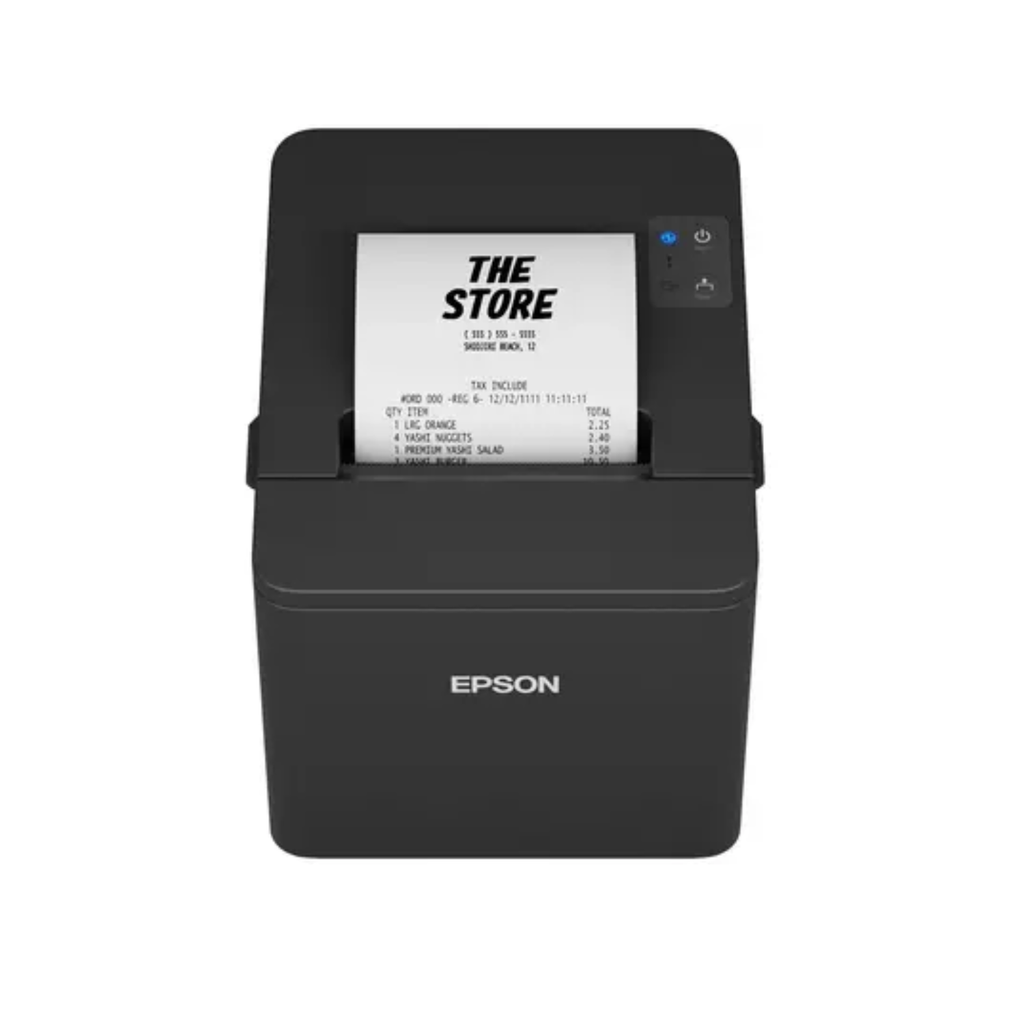
Types of Receipt Printers
There are several types of receipt printers available, with the most common being thermal models.
1. USB Receipt Printers
A USB receipt printer connects directly to a computer, POS terminal or compatible device.
USB models are a popular choice for businesses that have a fixed checkout because they provide a straightforward wired connection.
2. Ethernet Receipt Printers
An Ethernet receipt printer connects to a wired network, allowing it to communicate with POS systems and other devices on the same network.
This can be particularly useful for businesses with multiple terminals or printers.
3. Wi-Fi Receipt Printers
Wi-Fi models provide wireless connectivity and can be useful where businesses want greater flexibility when positioning their POS equipment.
They can also be suitable for tablet-based POS systems and environments where running additional cables is inconvenient.
4. Bluetooth Receipt Printers
Bluetooth receipt printers can connect wirelessly to compatible smartphones, tablets and other devices.
They are often used with mobile POS systems, pop-up shops, markets and businesses that require a more flexible checkout setup.
5. Mobile Receipt Printers
Mobile receipt printers are designed to be carried around the workplace. They are useful for delivery services, hospitality, events and businesses that need to print receipts away from a fixed checkout.
58mm vs 80mm Receipt Printers
One of the most important decisions when choosing a receipt printer is selecting the correct paper width.
58mm Receipt Printer
A 58mm receipt printer is compact and is often suitable for smaller receipts and businesses where counter space is limited.
It can be a good option for:
- Small retail shops
- Mobile POS systems
- Market traders
- Small cafés
- Service businesses
80mm Receipt Printer
An 80mm receipt printer produces wider receipts and is commonly used in retail, restaurants and hospitality.
The wider format provides more room for:
- Product descriptions
- Business information
- VAT details
- Promotional messages
- Barcodes
- QR codes
- Larger logos
For businesses with busy checkouts or longer receipts, an 80mm POS receipt printer can be a particularly practical choice.
What Should You Look for in a Receipt Printer?
When choosing a receipt printer for your business, consider the following factors.
Printing Speed
Fast printing is important in busy retail and hospitality environments. A faster printer can help reduce queues and improve checkout efficiency.
For example, the Epson TM-T88VII is a high-performance thermal receipt printer capable of printing at speeds of up to 500 mm per second.
Connectivity
Check that the printer supports the connection required by your POS system.
Common connectivity options include:
- USB
- Ethernet
- Wi-Fi
- Bluetooth
- Serial
Some professional POS printers offer multiple interfaces, giving businesses greater flexibility when integrating them with existing equipment.
POS Compatibility
Before purchasing a receipt printer, make sure it is compatible with your POS software and operating system.
Popular POS printer manufacturers provide drivers, SDKs and protocols designed to simplify integration with POS applications.
Auto Cutter
An automatic paper cutter can make a significant difference in a busy checkout environment.
Instead of manually tearing each receipt, the printer automatically cuts the paper after printing, helping speed up transactions and creating a clean-looking receipt.
Reliability
A receipt printer may be used continuously throughout the working day, so reliability is important.
Look for specifications such as printhead life, mechanism life and auto-cutter life when comparing professional POS printers.
For example, the Epson TM-T88VII has a rated auto-cutter life of up to 3 million cuts and a printhead life of up to 200 km.
Paper Size
Always check whether the printer uses 58mm or 80mm thermal paper and ensure the roll dimensions are suitable for the printer.
Using the correct paper helps prevent paper jams and printing problems.
Receipt Printers for Retail
Retail businesses need fast and dependable printing at the checkout.
A good retail receipt printer should be able to handle frequent transactions while integrating smoothly with barcode scanners, cash drawers, POS terminals and other peripherals.
Many professional receipt printers can also print barcodes and QR codes, making them useful for loyalty programmes, digital promotions and transaction references. The Epson TM-T88VII, for example, supports multiple barcode and 2D symbol formats.
Receipt Printers for Restaurants and Hospitality
Receipt printers are widely used in restaurants, cafés, pubs and other hospitality businesses.
Depending on the POS setup, a printer may be used for:
- Customer receipts
- Kitchen orders
- Bar orders
- Takeaway orders
- Delivery orders
- Online orders
Some modern POS printers also support direct printing from online ordering systems. Epson’s TM-T88VII, for example, includes Server Direct Print technology that can retrieve online order information and print it without requiring traditional local POS software integration.
Do Receipt Printers Need Ink?
One of the biggest advantages of a thermal receipt printer is that it does not require traditional ink cartridges or toner.
Instead, direct thermal printers use heat-sensitive thermal paper.
This means businesses don’t need to regularly replace ink cartridges, making thermal printing particularly convenient for high-volume POS environments.
However, thermal paper does need to be replaced when the roll runs out.
How Much Does a Receipt Printer Cost?
The price of a receipt printer depends on its features, connectivity, printing speed, brand and intended application.
Basic models may be suitable for smaller businesses with straightforward POS requirements, while professional models designed for high-volume retail and hospitality can offer faster printing, multiple connectivity options and enhanced durability.
When comparing prices, businesses should consider the total cost of ownership rather than simply choosing the cheapest printer.
Receipt Printer Maintenance Tips
Regular maintenance can help keep your POS receipt printer working reliably.
Keep the Printer Clean
Dust and paper debris can accumulate inside the printer over time. Clean the printer according to the manufacturer’s recommendations.
Use Good-Quality Thermal Paper
Poor-quality paper can affect print quality and may contribute to paper dust and printing problems.
Replace Paper Correctly
Make sure the thermal paper roll is installed in the correct orientation. Thermal paper only prints on its heat-sensitive side.
Keep Drivers and Software Updated
For USB, Ethernet, Wi-Fi and other connected printers, keeping drivers and associated software up to date can help maintain compatibility with your POS system.
Check the Cutter
If your printer has an automatic cutter, keep the mechanism clean and follow the manufacturer’s maintenance instructions.
Choosing the Right Receipt Printer for Your Business
The best receipt printer depends on your business environment and POS setup.
For a small shop, a compact USB or Ethernet thermal printer may be sufficient. A busy restaurant may benefit from a high-speed printer with Ethernet or Wi-Fi connectivity. Mobile businesses may prefer Bluetooth or compact mobile receipt printers.
Before purchasing, consider:
1. What POS software are you using?
Make sure the printer is compatible with your system.
2. What paper size do you need?
Choose between 58mm and 80mm based on your receipt requirements.
3. How busy is your checkout?
High-volume businesses should prioritise speed and reliability.
4. What connectivity do you require?
Choose USB, Ethernet, Wi-Fi or Bluetooth according to your POS setup.
5. Do you need an auto cutter?
For busy environments, an automatic cutter can improve efficiency.
6. Do you need to print barcodes or QR codes?
If so, check the printer’s supported barcode and graphics capabilities.
Popular Receipt Printer Brands
There are several established manufacturers producing POS receipt printers for retail and hospitality applications.
Popular brands include:
- Epson
- Star Micronics
- Citizen
- Bixolon
- Custom
- Zebra
Each manufacturer offers different models designed for various applications, from compact receipt printing to high-volume commercial POS environments.
Conclusion
A reliable receipt printer is an important part of an efficient POS system. Thermal receipt printers are particularly popular because they offer fast, quiet and low-maintenance printing without the need for ink or toner.
When choosing a POS receipt printer, consider the printer’s speed, paper width, connectivity, POS compatibility, auto cutter, reliability and overall running costs.
Whether you’re running a retail store, restaurant, café, supermarket, takeaway or mobile business, choosing the right receipt printer can help create a faster and more reliable checkout experience.
With the right combination of POS software, receipt printer, barcode scanner and payment hardware, businesses can build a complete and efficient point-of-sale solution tailored to their needs.