
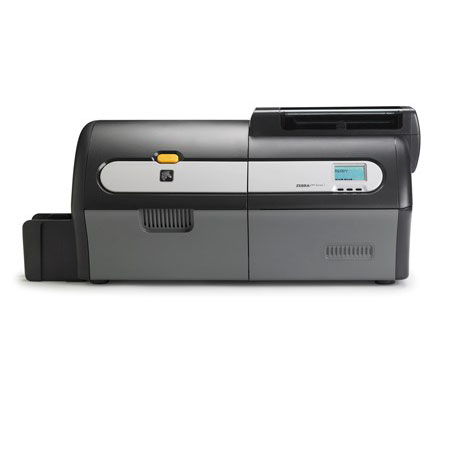
Zebra ZXP Series 7 Card Printer – Dual Side Colour Card Printer, Ethernet, USB, Contact Encoder, MIFARE Contactless
Product Codes: Z72-000C0000EM00, Z72-0M0C0000EM00, Z72-AM0C0000EM00, Z72-E00C0000EM00, Z72-000CD000EM00, 72-A00C0000EM00 Features:
- 300 dpi/11.8 dots per mm print resolution
- USB 2.0 and Ethernet 10/100 connectivity
- Microsoft Windows-certified drivers
- 10-50 mil auto-adjusting card feeder
- 200-card capacity feeder (30 mil)
- 15-card reject hopper (30 mil)
- 100-card output hopper (30 mil)
- Manual card feed capability
- 21-character x 6-line LCD operator display with configurable soft keys
- Kensington physical lock slot
- Two-year unlimited warranty on printer and printhead
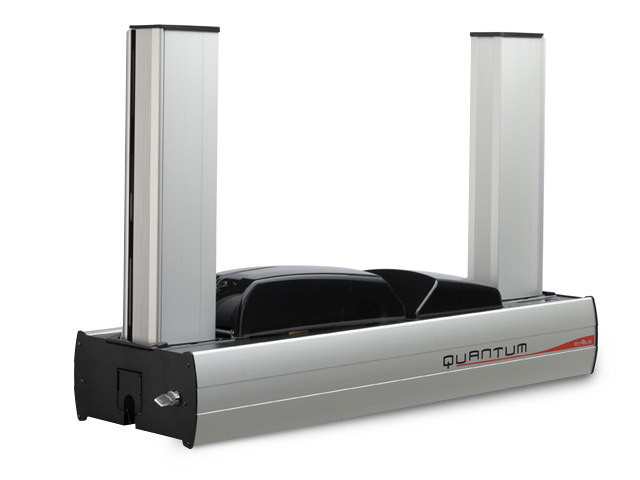
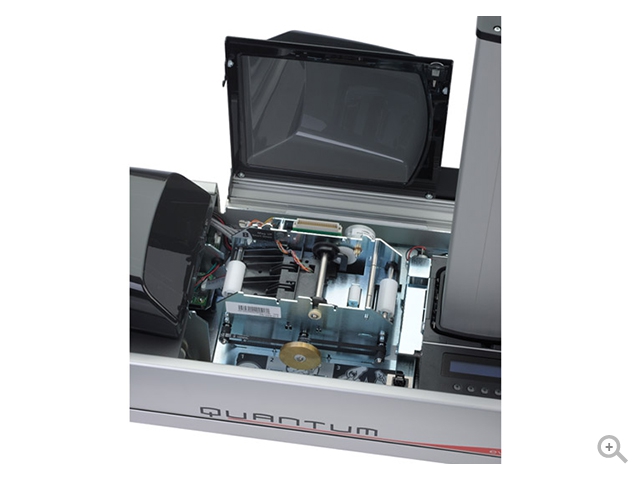
Evolis Quantum Card Printer
The centralized card production system
- Printing: Single-sided, Double-sided
- Encoding: Magnetic stripes, Smart contact, Smart contactless
- Card lifespan: 1-3 years
- Number of cards per year: More than 30,000
- Card security level: High
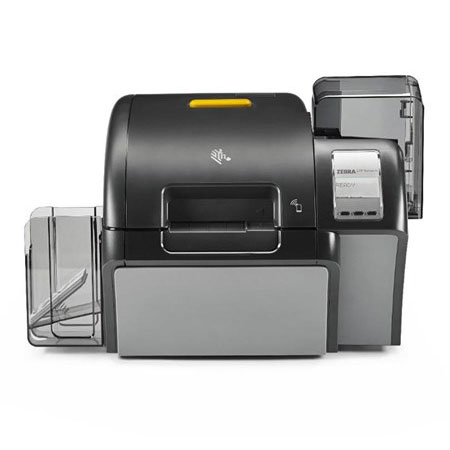
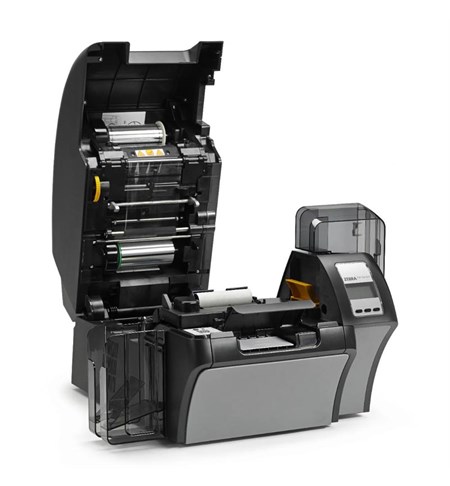
Zebra ZXP Series 9 Single Sided Retransfer Card Printer, Single Sided, USB, Ethernet, Magnetic & Contact Encoder
Product Codes: Z91-0M0C0000EM00, Z91-AM0C0000EM00, Z91-A00C0000EM00, Z91-000C0000EM00, Z91-000C0600AP00 Engineered to meet your high-security application needs, the ZXP Series 9 lets you produce photo-quality cards quickly and reliably. Ideal for printing photos and graphics, the dependable ZXP Series 9 printer incorporates Zebra’s Colour Predictive Technology, featuring algorithms that constantly monitor and instantaneously adapt printer settings to automatically produce the highest print quality. As a retransfer printer, it enables you to produce extremely durable, true to edge-to-edge cards – even on uneven card surfaces such as smart cards. For partners and customers who would like to use a Zebra card printer with their smartcard encoding application, please contact your Account Manager or a Zebra approved smartcard ISV for integration support. Benefits:
- Outstanding Print Quality and Performance
- Flexible, Hassle-free Operation
- Adding Security Features
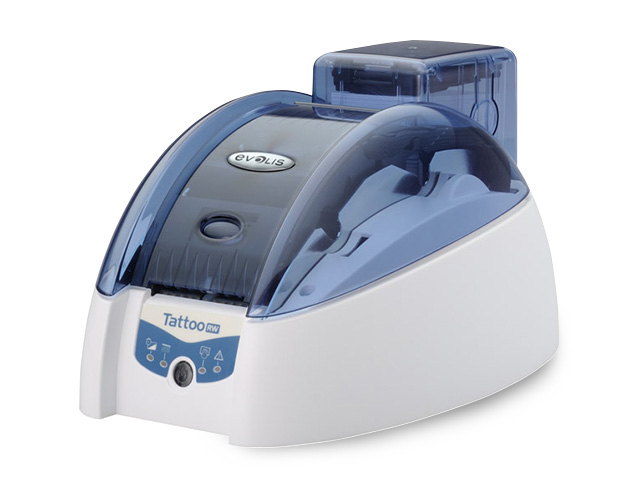
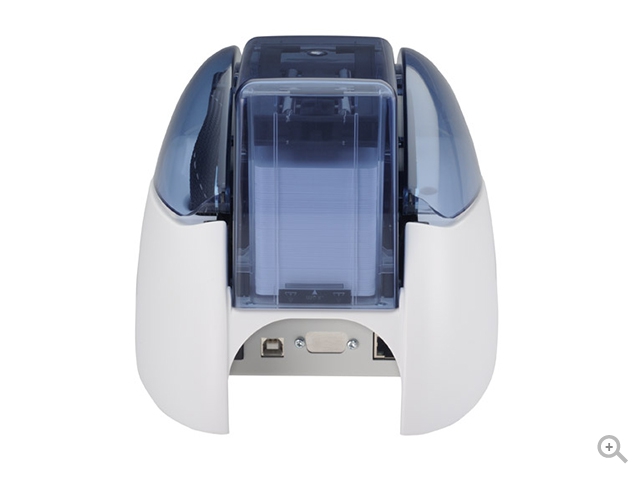
Evolis Tattoo Rewrite Card Printer
The printer for rewritable cards
- Printing: Single-sided
- Encoding: Magnetic stripes, Smart contactless
- Card lifespan: 1-3 years
- Number of cards per year: Between 5,000 and 30,000
- Card security level: Standard
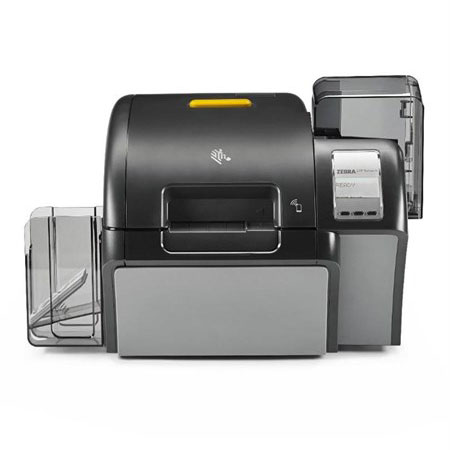
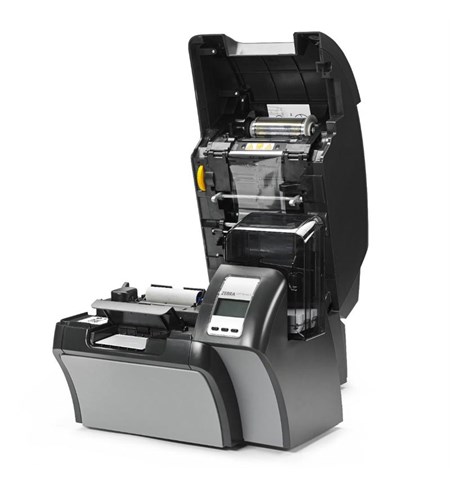
Zebra ZXP Series 9 Dual Sided Retransfer Card Printer
OPTIONS:
- ZXP Series 9 - Dual Sided, USB, Ethernet, Magnetic Stripe Writer [Mfr Part # Z92-0M0C0000EM00]
- ZXP Series 9 - Dual Sided, USB, Ethernet, Contact Encoder [Mfr Part # Z92-A00C0000EM00]
- ZXP Series 9 - Dual Sided, USB, Ethernet, Contact Encoder, Stripe Writer [Mfr Part # Z92-AM0C0000EM00]
- ZXP Series 9 - Dual Sided, USB, Ethernet [Mfr Part # Z92-000C0000EM00]
- ZXP Series 9 - 600dpi, Dual Sided, UK/EU/US Cords, USB, 10/100 Ethernet [Mfr Part # Z92-000C0600AP00]
- ZXP Series 9 - 600dpi, Dual Sided, ISO HiCo/LoCo Mag, UK/EU/US Cords, USB, 10/100 Ethernet [Mfr Part # Z92-0M0C0600AP00]
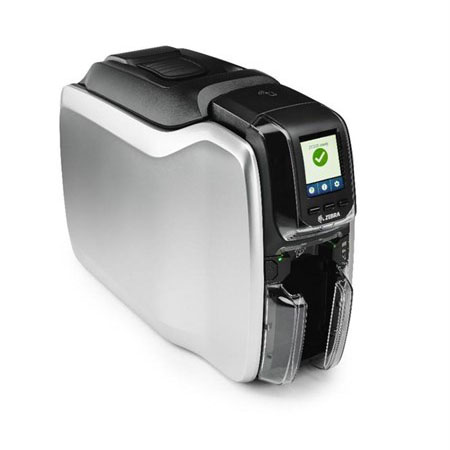
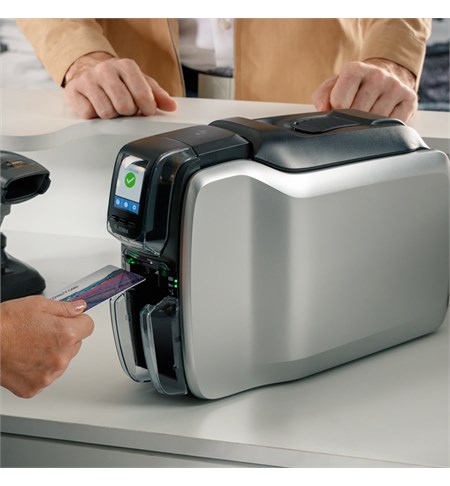
Zebra ZC300 Card Printer, Single/Dual Sided, UK/EU Cords, USB & Ethernet, Wifi, ISO HiCo/LoCo, PC/SC Contact
Product Codes: ZC32-000C000EM00, ZC31-0M0C000EM00, ZC31-000W000EM00, ZC31-000C000EM00, ZC31-AM0C000EM00, ZC32-0M0C000EM00, ZC32-000W000EM00, ZC31-A00C000EM00 Features:
- 300 dpi (11.8 dots/mm) print resolution
- 2 GB flash memory
- Image size: 1006 x 640 pixels
- Auto calibration of ribbon
- USB 2.0 and Ethernet 10/100 connectivity
- 100 card capacity auto-adjusting input hopper (30 mil)
- 100 card capacity output hopper (30 mil)
- Manual card feeding capability with LED bezel
- Graphical color LCD
- 3 Tricolor printer status indicator lights
- Kensington® secure lock slot
- Print Touch NFC tag for online printer help and documentation access
- Printer host authentication
- Data encryption
- Three-year limited warranty on printer and printhead
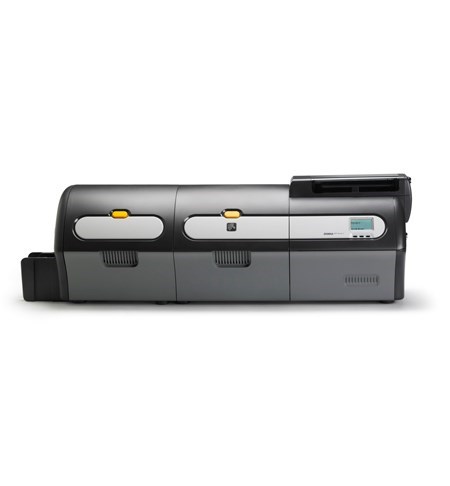
ZXP Series 7
OPTIONS:
- Zebra ZXP Series 7 - Dual Side Colour Card Printer with Dual Sided Laminator [Mfr Part # Z74-0M0C0000EM00]
- ZXP Series 7 - Dual Side Colour Card Printer with Dual Sided Laminator [Mfr Part # Z74-AM0C0000EM00]
- ZXP Series 7 - Dual Side Colour Card Printer with Dual Sided Laminator [Mfr Part # Z74-0MAC0000EM00]
- ZXP Series 7 - Dual Side Colour Card Printer with Dual Sided Laminator [Mfr Part # Z74-000C0000EM00]
- Zebra ZXP Series 7 - Dual Side Colour Card Printer with Single Sided Laminator [Mfr Part # Z73-000C0000EM00]
- Zebra ZXP Series 7 - Dual Side Colour Card Printer with Single Sided Laminator [Mfr Part # Z73-0M0C0000EM00]
- Zebra ZXP Series 7 - Dual Side Colour Card Printer with Single Sided Laminator [Mfr Part # Z73-AM0C0000EM00]
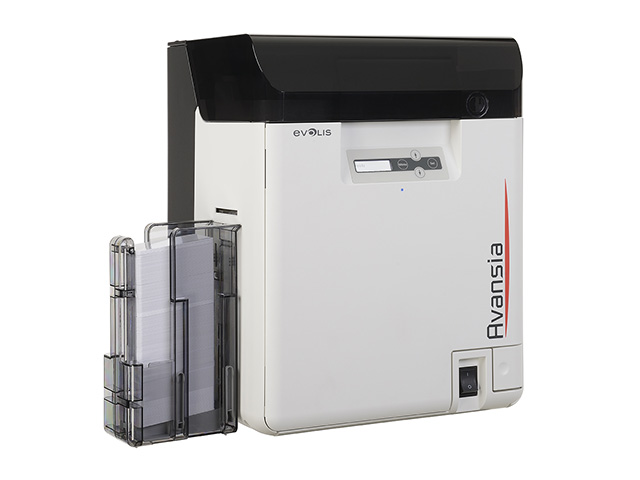
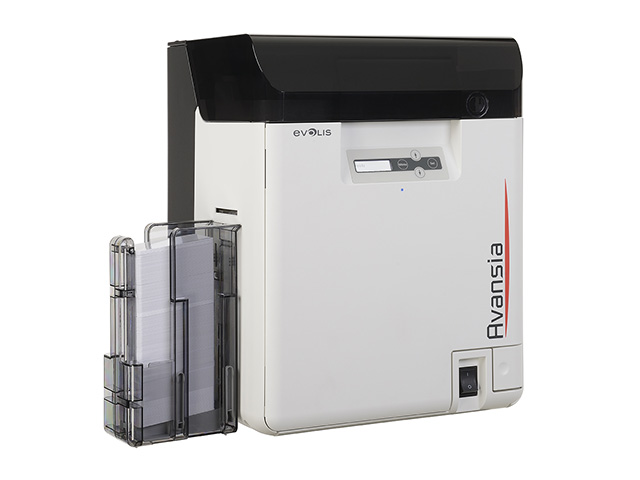
Evolis Avansia Card Printer
The premium retransfer printer for high definition cards
- Printing: Single-sided, Double-sided
- Encoding: Magnetic stripes, Smart contact, Smart contactless
- Card lifespan: 1-3 years
- Number of cards per year: More than 30,000
- Card security level: High
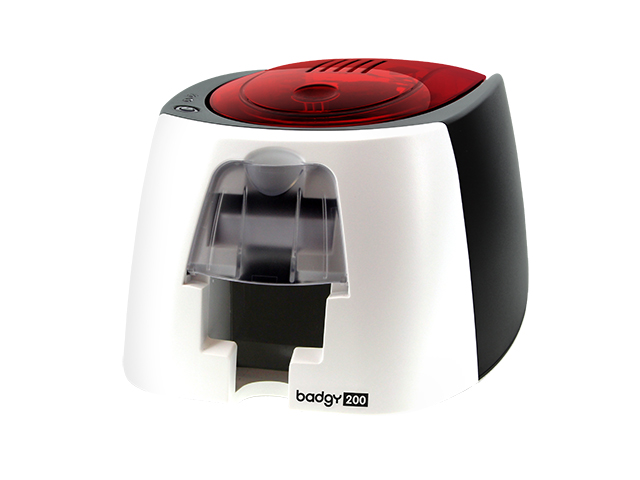
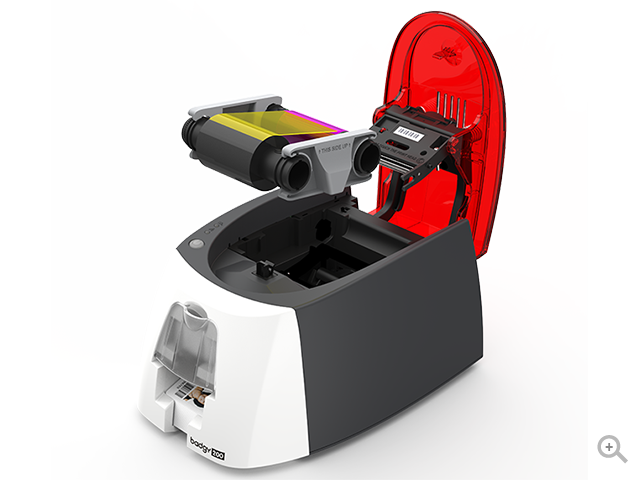
Evolis Badgy 200 Card Printer, Staff ID badges, School ID cards, Membership cards, Loyalty cards, Event badges, Visitor badges
The affordable card printing solution
- Printing: Single-sided
- Encoding: No encoding option
- Card lifespan: 1-3 years
- Number of cards per year: Less than 500
- Card security level: Standard
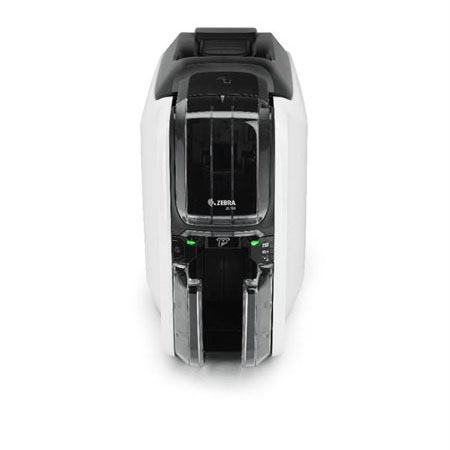
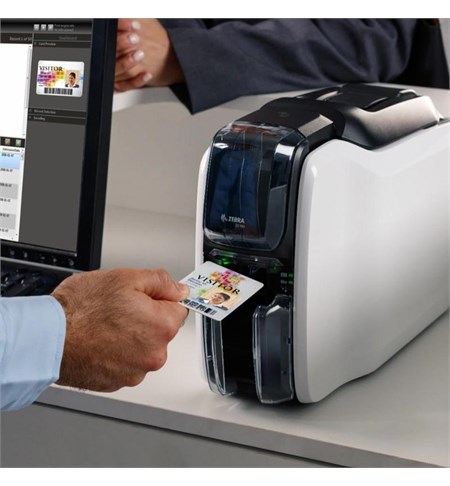
Zebra ZC100 Single Sided Card Printer, UK/EU Cords, USB, Ethernet/Wifi, Windows Driver, ISO HiCo/LoCo Mag S/W Selectable
Product Codes: ZC11-0000000EM00, ZC11-000C000EM00, ZC11-0M00000EM00, ZC11-0M0C000EM00, ZC11-000W000EM00 Features:
- The ZC100 is designed to work right out of the box for painless plug-and-play deployment. There’s no time-consuming complicated set-up – just plug it in and start reaping the benefits the day your printer arrives. The slim profile design makes it easy to fit anywhere you need to issue cards.
- Easy to use design details make operation simple. The re-designed hopper makes loading cards easier than ever. With saloon-style output doors, there’s nothing to open – just grab one card or the whole stack. A light pipe guides users through the manual card feeding process, similar to the way automatic teller machines guide users through their interaction.
- Connect to one computer through the onboard USB to create a standalone printing station. Or, add optional Ethernet or Wi-Fi to give access, maximizing printer usage.
- The ZC100 prints up to 3% faster in monochrome and 15% faster in colour than its predecessor, Zebra’s ZXP Series 1 card printers.
- The Print DNA family of solutions brings unmatched ease of use, ease of integration and security to card printing, streamlining your business processes, improving operational efficiency and reducing development and deployment time and cost.